GoHighLevel No-Code Website Builder Review

GoHighLevel’s no-code website builder is a cloud-based platform that allows businesses to create and manage websites without programming knowledge. The platform targets marketers, agencies, and small businesses that need fast website deployment with integrated marketing tools.
The GoHighLevel website builder provides drag-and-drop page creation, prebuilt templates, and direct connection with funnels, forms, and CRM data. The GoHighLevel system supports responsive design, which helps websites display correctly on desktop and mobile devices.
This GoHighLevel no-code website builder review explains how the builder works, who benefits most, and what limitations users should consider before adoption. This review is based on my personal tests and experience.
What is GoHighLevel No-Code Website Builder?
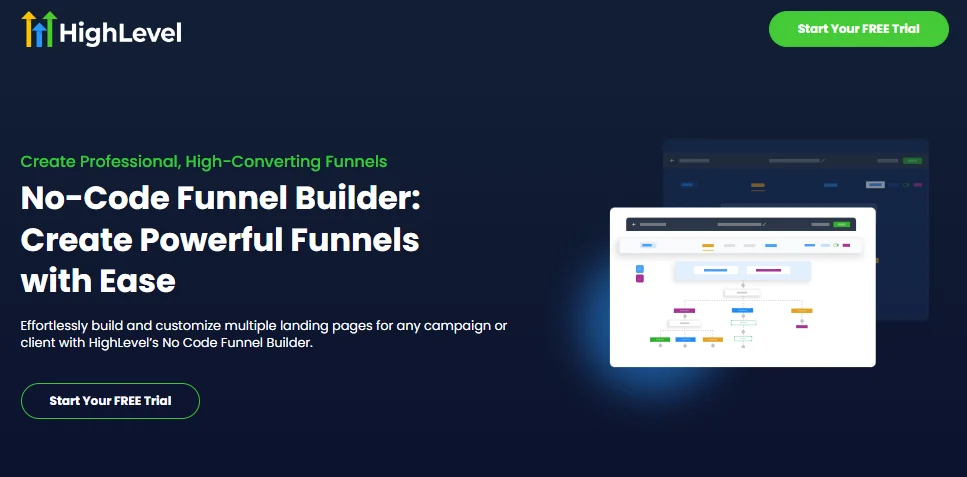
GoHighLevel’s no-code website builder is a visual platform that allows businesses to create websites without technical skills.
The GoHighLevel builder uses a drag-and-drop editor to build sales funnels, landing pages, and full websites from a single dashboard. The GoHighLevel system removes the need for WordPress, external themes, or third-party plugins.
The builder connects pages directly with forms, pipelines, and automation tools inside the platform. The GoHighLevel no-code website builder suits agencies and marketers who want faster page creation, centralized control, and fewer technical dependencies for online presence management.
Features of GoHighLevel No-Code Website Builder
Now, let’s find out what the features are that make this no-code website builder the best tool in 2026.
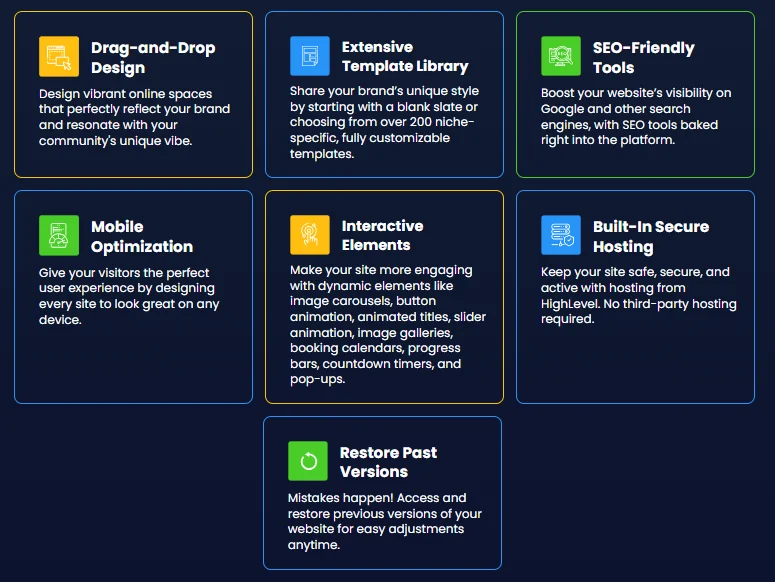
Drag-and-Drop Editor
GoHighLevel’s drag-and-drop editor allows users to build pages by placing elements visually on the canvas. The editor removes coding requirements and technical setup steps. The GoHighLevel editor supports sections, columns, text, images, buttons, and forms, which help users create sales funnels and landing pages quickly.
Extensive Template Library
GoHighLevel’s extensive template library gives users the option to start from a blank layout or select from a large collection of ready-made designs. The GoHighLevel platform offers more than 200 niche-focused templates that support landing pages, funnels, and full websites.
Each GoHighLevel template allows full layout, color, and content customization to match brand identity. The template system reduces setup time and simplifies page creation for different industries. I have tested it and found the templates flexible and easy to adjust.
SEO-Friendly Tools
Ranking is very important when you are boosting your brand visibility on search engines. That’s why customers can use the tools that provide guidelines on SEO ranking and optimization.
Mobile Optimization
According to Backlinko, more than 317 million people in the US are using the internet via their mobile phones in 2026. So why not optimize your landing pages for mobile devices? No worry if you are not aware of the process.
Use Go High’s mobile optimization tool and set your goals more efficiently.
Built-In Secure Hosting
GoHighLevel’s built-in secure hosting allows websites and funnels to run directly on the platform without external servers.
The GoHighLevel hosting system includes SSL security, fast page loading, and reliable uptime. This setup removes the need for third-party hosting services or manual technical configuration.
Interactive Elements
GoHighLevel interactive elements allow websites and funnels to engage visitors through action-based components. The GoHighLevel builder includes forms, surveys, calendars, buttons, and pop-ups that collect user data in real time.
These interactive elements connect directly with GoHighLevel workflows and CRM records. This connection helps businesses capture leads, schedule appointments, and guide users through structured sales paths efficiently.
Restore Past Versions
GoHighLevel’s restore past versions option allows users to recover earlier page states without rebuilding content. The version history system saves previous edits automatically during page updates. GoHighLevel version control helps users reverse accidental changes, test layout variations, and maintain content accuracy. This restore function supports safer editing and consistent website management over time.
How to Build a No-Code Website with Go High Level?
The GoHighLevel system removes the need for WordPress, external plugins, or manual coding. The guide below explains each step in a clear and structured way.
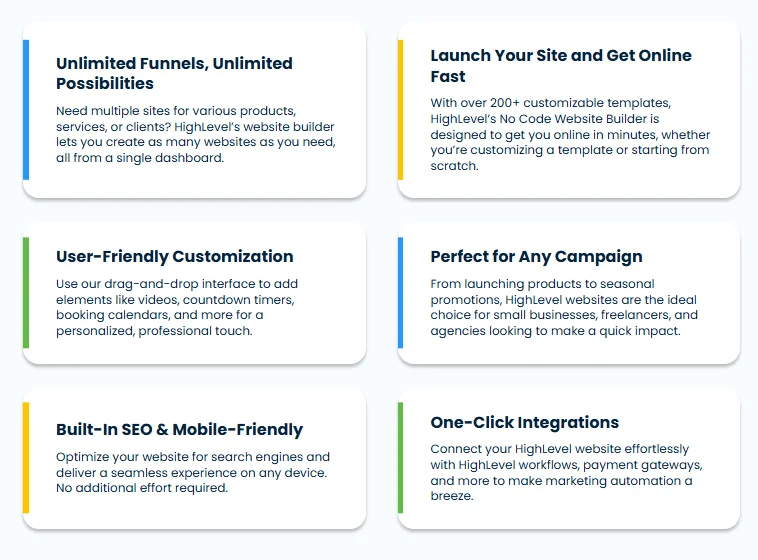
Step 1: Use a Template or Start from Scratch
GoHighLevel provides a large template library for websites, funnels, and landing pages. Users can select a niche-based template to reduce setup time. GoHighLevel also allows users to start from a blank canvas for full layout control. Both options support business branding and page structure planning.
Step 2: Design Pages with the Drag and Drop Editor
GoHighLevel drag and drop editor allows visual page creation without technical skills. The editor supports sections, rows, text blocks, images, buttons, and forms. Page elements can be arranged freely to match business goals. This design system helps users build single pages or multi-step funnels efficiently.
Step 3: Add Interactive Elements
GoHighLevel interactive tools include forms, calendars, surveys, and call-to-action buttons. These elements connect directly with GoHighLevel CRM and automation workflows. This setup allows lead capture, appointment booking, and user tracking within the same platform.
Step 4: Prepare Pages for SEO
GoHighLevel page settings allow control over page titles, meta descriptions, and URLs. These settings help search engines understand the page’s purpose and content structure. Clean layouts and fast-loading pages also support better search visibility.
Step 5: Publish and Connect with Go High Level
GoHighLevel publishing tools allow pages and funnels to go live instantly. Built-in hosting and SSL security remove the need for third-party services. Published pages connect automatically with GoHighLevel pipelines, workflows, and reporting tools for ongoing management.
Conclusion
GoHighLevel no-code website builder aligns website creation with email marketing execution in a single environment. The platform connects landing pages, forms, and funnels directly with contact records and email workflows.
This connection supports consistent messaging, accurate segmentation, and timely follow-up across campaigns. Centralized control reduces technical dependencies and manual data transfer. For businesses that rely on email-driven growth, GoHighLevel provides a structured system where website actions and email performance work together to support lead nurturing and conversion goals.