Klaviyo Sign Up Guide

Klaviyo is an email and SMS marketing tool that is a choice of more than 183,000 brands in 2026. Why not give this tool a try if you are looking for an email marketing platform? Yes? Then come in and join me in this matter.
I have prepared this complete, easy-to-follow guide for beginners, yet an effective guide about the Klaviyo sign-up method. You must be thinking that signing up for an email marketing platform is not so hard, and you may not need to read a guide for this purpose. Perhaps this is the truth, but not for every user.
My mission is to train every email marketer in 2026, so this guide will surely be worth reading.
What is Klaviyo?

Klaviyo is a cloud-based email and SMS marketing platform. It is widely used for WhatsApp marketing, mobile push-ups, pop-ups, and SMS marketing. It has a B2C CRM that is powered by AI.
Klaviyo began operations in 2012 after Andrew Bialecki and Ed Hallen, the founders of the Klaviyo team, identified that consumer-focused businesses were producing extensive customer data from many different channels.
Klaviyo Sign Up Guide
Open your preferred email inbox and follow my steps.
1) Open www.klaviyo.com Page:
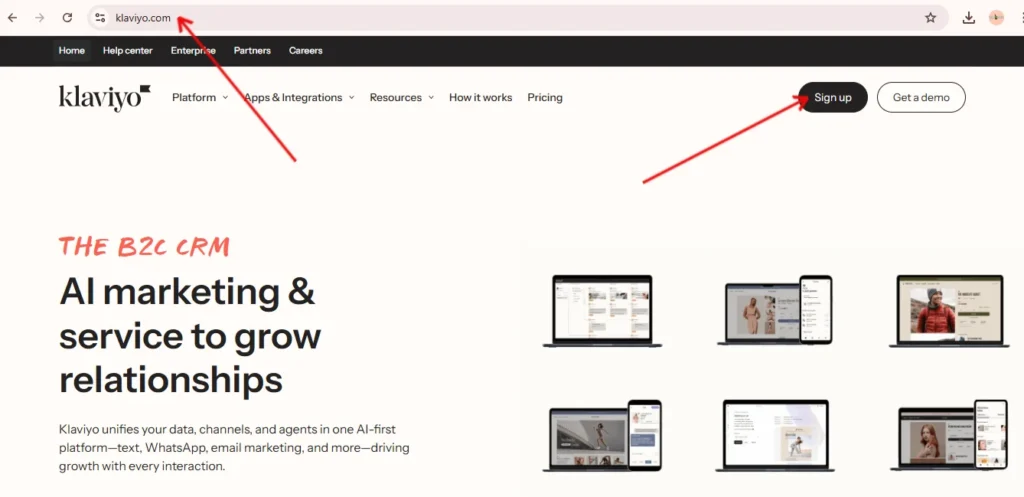
Open the official Klaviyo website that has a URL “www.klaviyo.com”. You can use your mobile, desktop PC, laptop, or MacBook to join this platform online.
2) Fill Out Registration Form:
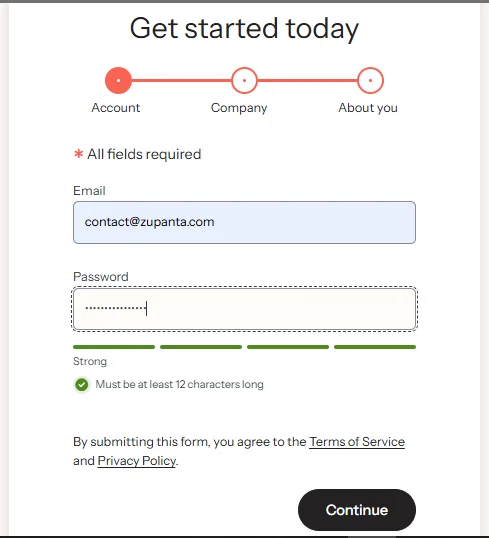
On the official website, you need to click on the “https://www.klaviyo.com/uk/sign-up” URL to land on the registration page. This page will allow you to fill out the registration form using the following details:
- Password
- Company name
- Company website
- Phone number
- How will you be using Klaviyo?
3) Accept Terms and Conditions:
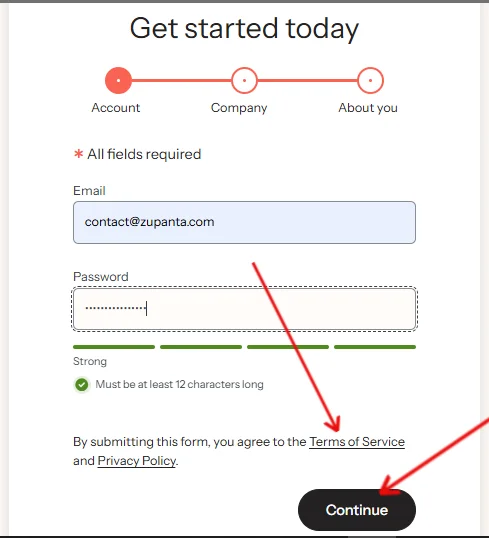
For successful registration, you need to accept all the terms and conditions mentioned by Klaviyo. So do it properly and read all the terms as well for your safety. Now submit the details and click on the “Create Account” button.
4) Choose Your Payment Plan or Start for Free:

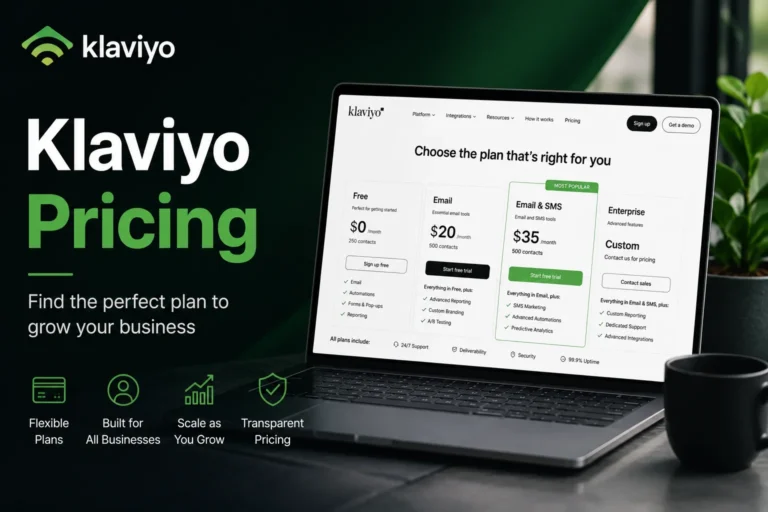
Once your details are submitted, you need to choose a plan for your account. From here, you can either check Klaviyo pricing plans and choose one or go with a free plan as well.
However, the free plan has a limit of sending 500 monthly emails and 250 active profiles. But this plan is free forever, and you don’t need to pay a cent.
5) Use Your Klaviyo Account to Send Your First Campaign
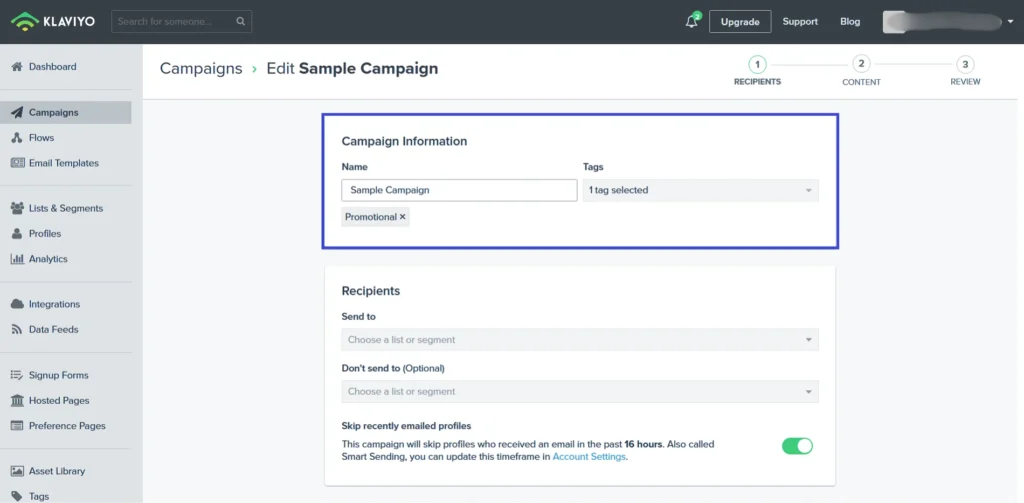
Finally, you are ready to explore and use Klaviyo for your marketing campaigns. Klaviyo account access allows campaign creation after setup completion. Dashboard tools support email and SMS campaign building.
Users can select templates, add content, define audiences, and schedule delivery. Testing options confirm formatting and links. Campaign analytics display delivery status, open rates, click rates, and profile activity for performance review purposes.
So these are the complete steps that you can follow to make an account on Klaviyo. This guide will help you to stay ahead while creating your first email marketing campaign.
How to Start Your First Campaign?
Let’s find out how to start your first campaign with Klaviyo using 7 simple steps.
1) Define clear campaign objectives:
Email campaign planning starts with measurable targets. Campaign goals may include subscriber-to-customer conversion rates or seasonal revenue growth. Clear goals provide direction for content creation and success measurement.
2) Segment the email audience accurately
Audience segmentation groups contacts based on behavior, preferences, or purchase history. Segmented messaging reduces inbox clutter and improves engagement, order placement, and email delivery consistency.
3) Select or design a standard email layout
Email template selection supports brand consistency across campaigns. Prebuilt or custom templates reduce design time and keep the visual presentation uniform.
4) Decide the primary call to action
Call to action planning defines the next step for readers. A strong CTA connects directly with campaign goals and guides recipients toward a specific action.
5) Develop structured email content
Email content includes subject lines, written copy, and visuals. Clear subject lines improve open rates. Content alignment with brand guidelines builds trust and improves readability across devices.
6) Schedule and send the campaign strategically
Email scheduling considers audience time zones and sending frequency. Testing subject lines, images, and CTAs before delivery improves campaign reliability.
7) Track and evaluate performance metrics
Campaign monitoring focuses on open rates, click rates, unsubscribe rates, and revenue per recipient. Performance data highlights areas for adjustment in messaging, timing, or audience targeting.