MailerLite Landing Page Builder Tips

I love to build and design landing pages. This is one of the favorite things that I prefer to do alone rather than send them to my team members. The reason is simple. A landing page is the most important page of a website. Your goal is clear: you need to sell the product or service to the right audience.
Also, I use MailerLite and some other tools like Brevo often to create an effective landing page.
I prefer to write the landing page content in a completely relaxed mood. This is where the magic happens. In this post, I will share all the tips that I personally use for my projects and clients as well.
What is a Landing Page?
In simple words, the landing page is a page where your main service or product is listed. Your customers come here by clicking on a CTA button or an ad campaign.
An effective landing page is built with only one purpose or goal in mind. This could be selling a product, a service, or anything. Also, the landing pages do not have any navigation menus, sidebars, or anything distracting.
You need to customer to complete the task, so eliminating all the distracting stuff is important here.
How to Build a Landing Page With MailerLite?
Now the main question is how to create a landing page with MailerLite. So here is how I create a landing page.
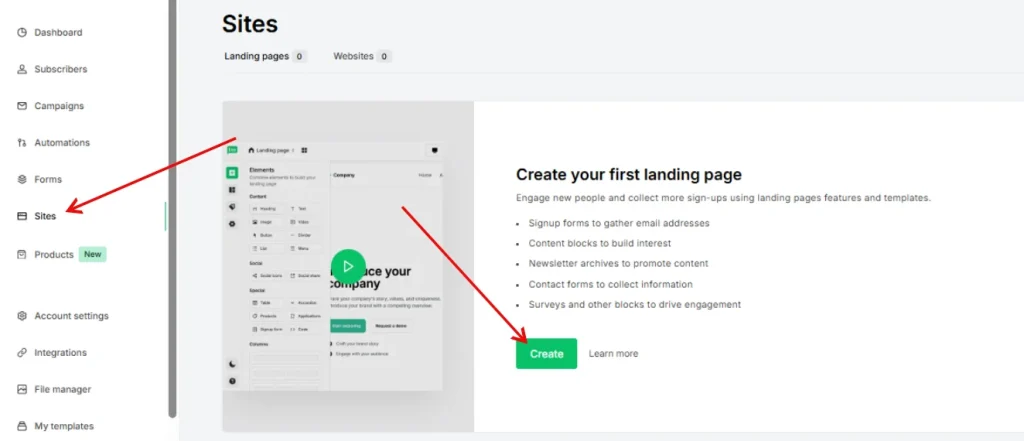
Sign in to your MailerLite account and go to “Sites” from the left sidebar and and then click on the “Create a new landing page” button.
Choose a name for your landing page, for example, Marketing Tips e-Book.
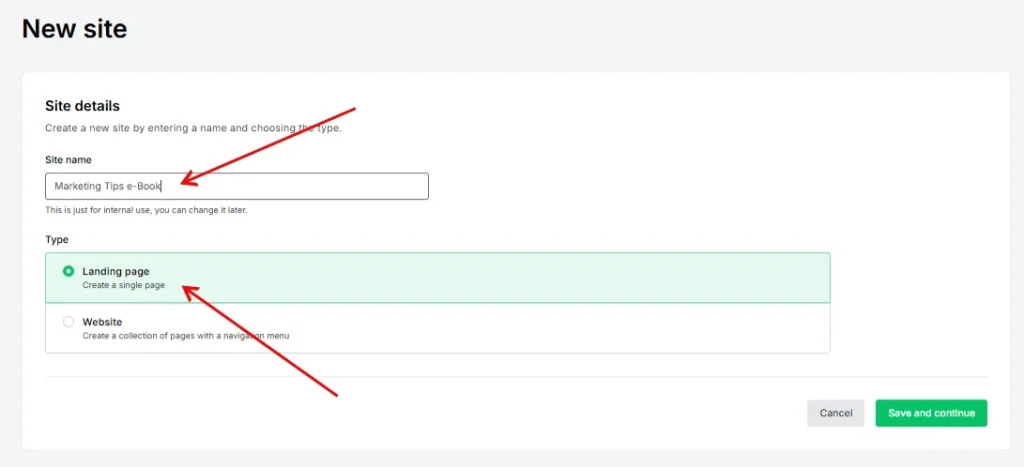
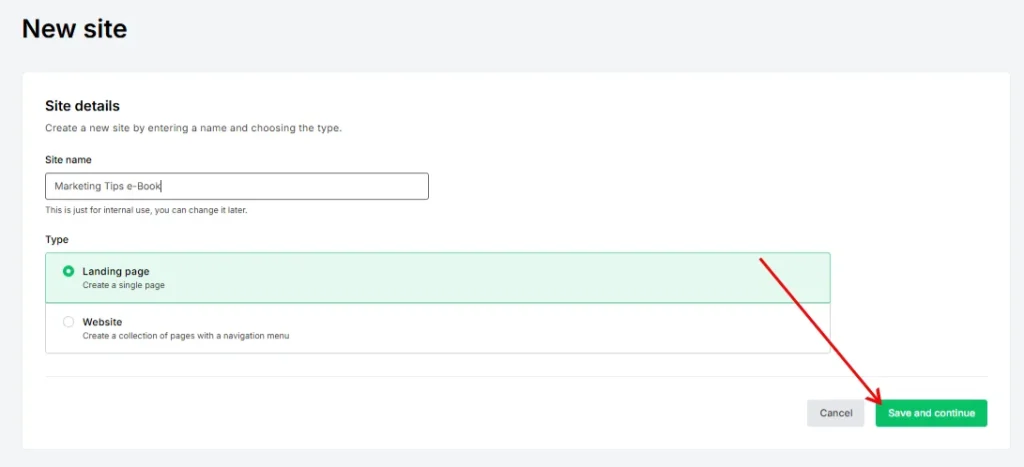
Click on the save and continue button and navigate to the next step.
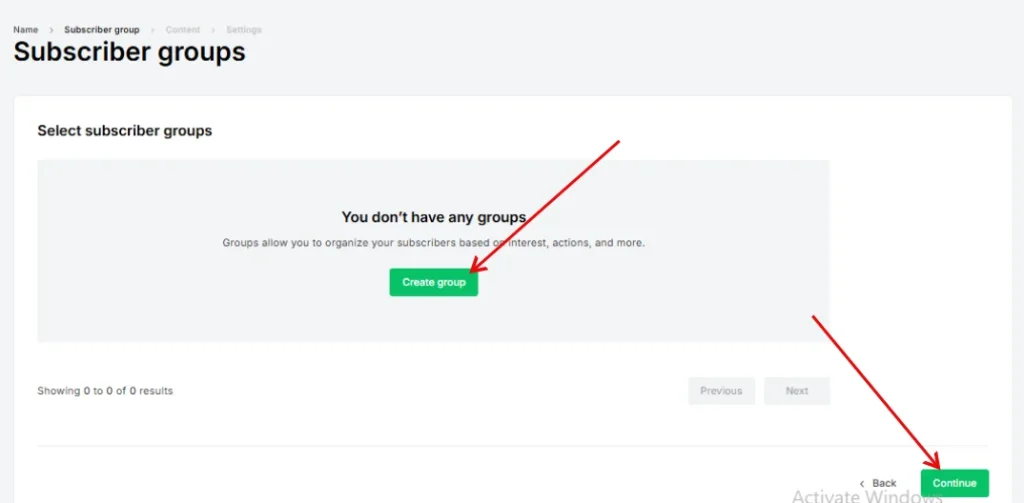
Now you need to create a group for your landing page. This will be the group where all of your subscribers will be added. Click on the continue button.
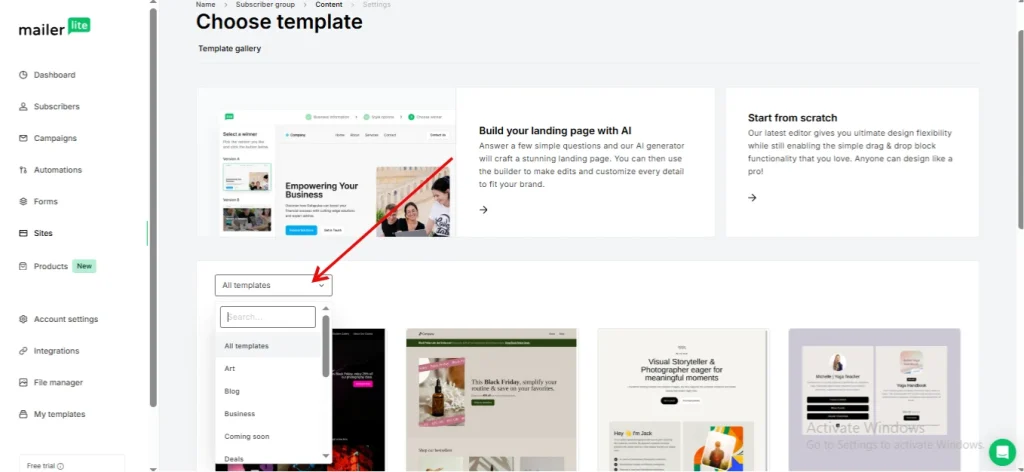
The next step is to choose the template for your landing page.
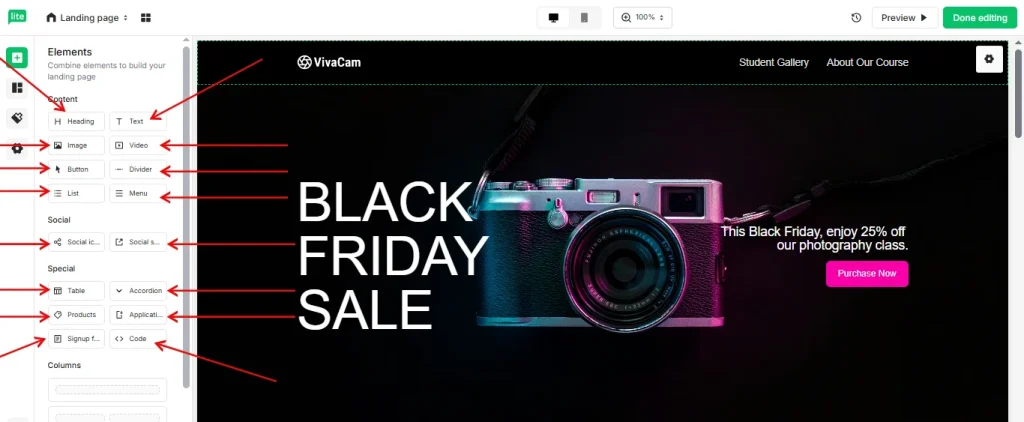
There is a Blocks tab from where you can add content blocks to your landing page.
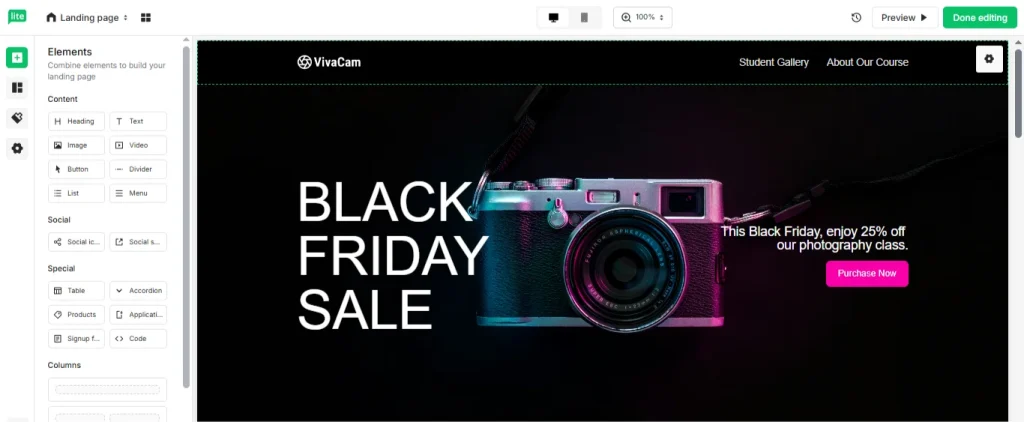
You can edit any text block by clicking on it.
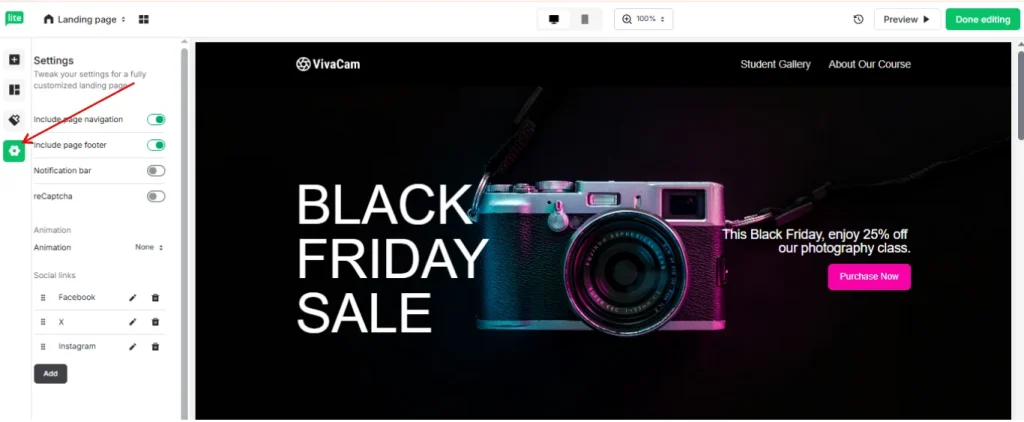
Design your text with the right settings. You can click on the Settings tab on the right sidebar.
Once you are done with styling and designing, you need to publish your page.
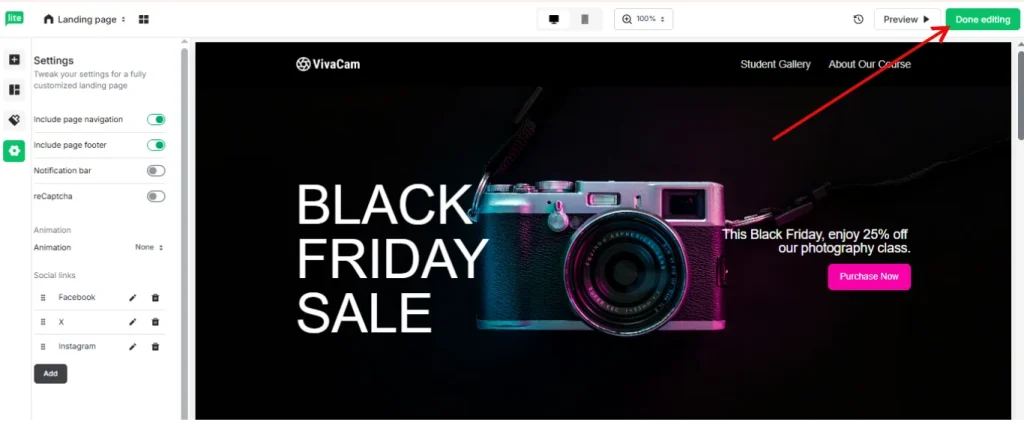
Your landing page is now active and published.
MailerLite Landing Page Builder Tips
Building a good landing page can make a huge difference in your online success. A landing page is where you convert visitors into subscribers or customers. MailerLite makes it simple to create effective landing pages without coding.
Here are my best tips to make your landing page perform better.
1. Keep Your Goal Clear
Every landing page must have one clear goal. Whether you want people to buy a product, download an e-book, or sign up for a newsletter, focus on that goal only.
Avoid extra links, sidebars, or menus. These distractions can reduce conversions. Think of your landing page as a path with only one exit: your CTA.
2. Write Simple and Direct Headlines
The headline is the first thing your visitors see. Make it short, clear, and action-oriented. For example, instead of writing “Discover the Amazing Benefits of Our Marketing Tips,” write “Get Your Free Marketing Tips e-Book Today.” Keep it simple and promise something valuable. Headlines should grab attention instantly.
3. Use Eye-Catching Visuals
Images and videos can improve engagement. Use visuals that show your product, service, or result clearly. Avoid stock photos that look fake.
Real pictures of your product, team, or workspace feel trustworthy. For example, if you sell coffee mugs, show the mugs in use rather than just floating in white space.
4. Organize Content in Blocks
MailerLite allows you to use content blocks. Use them wisely. Start with the headline, add a short description, show the benefits, and place your CTA button in a visible spot. Break long content into smaller sections. This makes it easy for readers to scan quickly. No one likes a wall of text.
5. Make Your CTA Stand Out
Your call-to-action button is the most important element. Make it bright, noticeable, and use action words like “Download Now,” “Get Free Tips,” or “Join Today.” Position it above the fold, so visitors don’t need to scroll to find it. If your page is long, add a second CTA at the bottom.
6. Add Social Proof
People trust what others like them approve. Add reviews, testimonials, or subscriber counts to your landing page. Even one honest review can increase trust and conversions.
If you have no reviews yet, share stats like “Join 5,000 marketers who get tips every week.” A little social proof goes a long way.
7. Test and Improve
Always test your landing page. Try different headlines, images, or button colors. MailerLite allows A/B testing for landing pages. Test small changes and see what works best. Small tweaks can increase conversions dramatically. Think of testing like cooking; sometimes a little salt makes the dish perfect.
8. Keep the Page Fast
Slow pages lose visitors fast. Use lightweight images and keep your design simple. MailerLite pages load fast, but check everything before publishing. Fast pages make visitors happy and improve search engine ranking.
9. Use a Personal Tone
Write like you are talking to one person. Avoid technical jargon or long sentences. Add a tiny bit of humor if it fits. People connect with a friendly voice more than a stiff corporate one. For example, “Don’t worry, we won’t spam you. Promise!” makes your page feel human.
10. Optimize for Mobile
Many visitors open your landing page on phones. MailerLite makes pages mobile-friendly, but double-check. Buttons should be easy to tap, text should be readable, and images should fit screens well.