MailerLite Integration with Other Platforms Guide

MailerLite gives you wings when it comes to integration with other web services. You can connect your MailerLite account with major web services platforms, including WordPress, WooCommerce, Zapier, and Wix.
If you are new to MailerLite and want to know how to integrate it with your favorite platform, then you are welcome to my blog. This guide will help you understand the complete process of how you can connect MailerLite to your preferred web service.
MailerLite Integration Options
Below are the options that you can choose when you need to connect the MailerLite account:
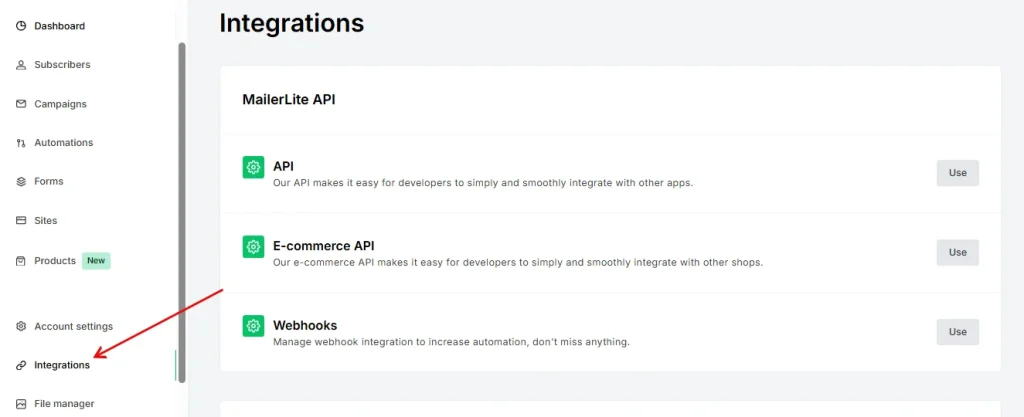
Most Popular Integrations
- WordPress
- Wix
- ChatGPT
- Squarespace e-commerce
- Stripe
- WooCommerce
- MailerCheck
- Zapier
- Shopify
Other Platforms
| Partner / Tool Name |
| Claspo |
| Claude |
| Cursor |
| VS Code |
| ProfilePress |
| Newsletter Glue |
| Woorise |
| Monkedo |
| JustCast |
| Uncanny Automator |
| Poper |
| Apiway |
| Kommo |
| Mokapen |
| n8n |
| Pabbly Connect |
| Pipedrive |
| Rewardful |
| Salesflare |
| SparkLoop |
| Zoho CRM |
| Acuity Scheduling |
| Calendly |
| Facebook Lead Ads |
| Kajabi |
| ManyChat |
| Systeme.io |
| Tally |
| TidyCal |
| Typeform |
| Asana |
| Microsoft Dynamics 365 CRM |
| QuickBooks |
| SurveyMonkey |
| Thinkific |
| Webflow |
| Xero |
| HolidayHero |
| Weglot |
| Punchpass |
| Zenamu |
| Deadline Funnel |
| Paved |
| Payhip |
| Relay.app |
| Bouncify |
| Tabular |
| Outfunnel |
| YouCanBookMe |
| WP Subscribe Pro |
| Gravity Forms |
| OnePageCRM |
| OttoKit |
| FuseWP |
| Tidio |
| Adobe Express |
| Bloom |
| Figma |
| Getsitecontrol |
| Mailchimp |
| Squarespace Forms |
| HelloCustomer by Moogento |
| Stripo |
| Unbounce |
| ConvertPlug |
| Partnero |
| Outgrow |
| ZeroBounce |
| Skyvia |
| HubSpot |
| BigCommerce |
| LeadsBridge |
| Make |
| Canva |
| Jotform Sign |
| LearnWorlds |
| Emailable |
| JetFormBuilder |
| Bookingmood |
| Paperform |
| MailMunch |
| ThriveCart |
| Thrive Leads |
| Facebook Audiences |
| Integrately |
| GroupBoss |
| StoryOrigin |
| WHMCS Services |
| WooCommerce for MailerLite Classic |
| Coupon Carrier |
| Shopify for MailerLite Classic |
| Airtable |
| Carrd |
| Elementor |
| Google Docs |
| Google Forms |
| Google Sheets |
| Jotform |
| involve.me |
| OptiMonk |
| eWebinar |
| GrowSurf |
| Ycode |
| PrestaShop |
| 500apps |
| AgileForms |
| Bonjoro |
| WPForms |
| Zapier for MailerLite Classic |
| MakePlans |
| Basecamp 3 |
| Brave |
| Clearout |
| ClickFunnels |
| Eventbrite |
| GitHub |
| Intercom |
| Landingi |
| Magento |
| NeverBounce |
| PayPal |
| Poptin |
| Salesforce |
| SendOwl |
| Slack |
| Teamwork Projects |
| Todoist |
| Trello |
| Wrike |
| Zendesk |
| Zoom |
| Drupal |
| QuickEmailVerification |
| Personizely |
| Digioh |
| Gleam |
| Ads Workbench |
| proTimer |
| ARMember |
| Beacon |
| Bloom Intelligence |
| Book Cave |
| BookFunnel |
| Bounceless |
| BriteVerify |
| Charitable |
| Convert Pro |
| Convertful |
| DeBounce |
| DreamApply |
| EasyStore |
| Firewards |
| FyreBox |
| Ghost.org |
| Gift Up! |
| Gumroad |
| Hanna CRM |
| HappyForms |
| Hyperise |
| InvoiceBerry |
| Kickbox |
| LeadPages |
| Lumeer |
| Mail Designer 365 |
| MailOptin |
| MemberPress |
| MemberVault |
| MiloTree |
| Ninja Popups |
| Optingun |
| OptinMonster |
| Playable |
| Popup Domination |
| ProductDyno |
| Prolific Works |
| WebWave |
How to Integrate with WordPress?
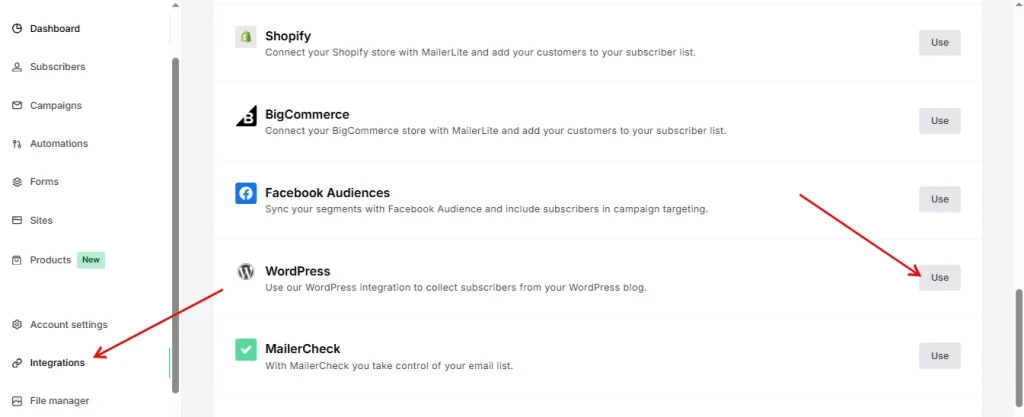
You can integrate MailerLite with WordPress websites and add your pop-ups and embedded forms that you created in MailerLite to your WordPress website. The guide is mentioned below.
- Log in to your WordPress website and look for the sidebar located on the left side.
- Click on the “Plugins” icon and open it. Now search for “MailerLite” and install the plugin on your website.
- Now, click on the MailerLite plugin options on the left sidebar and choose “Signup forms”.
- Click on “Add New” and choose a form that you have created in MailerLite.
How to Integrate with Zapier?
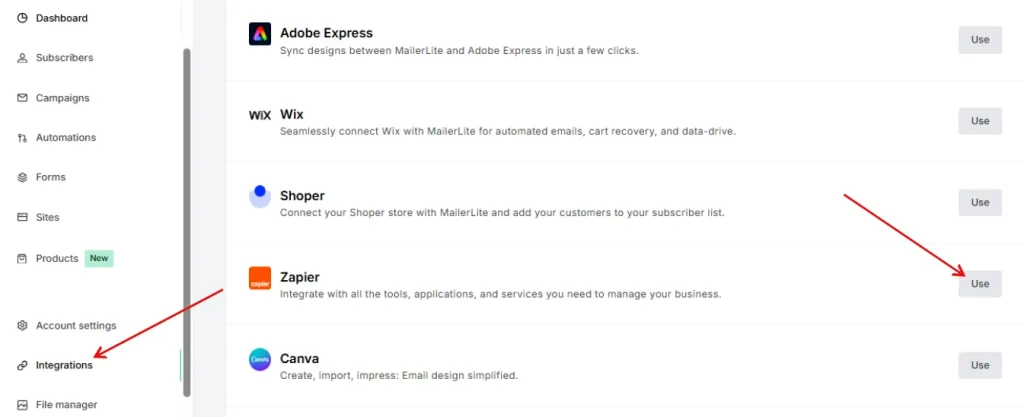
Zapier is another useful tool that enables you to connect two or more apps without the need and use of coding. You can create automation workflows that are called “Zaps” in this tool. So here is how to connect MailerLite with Zapier.
- Log in to your Zapier account or create one.
- Now go to the dashboard and look for the apps that you want to connect.
- Choose “MailerLite” and authorize the access.
How to Connect with Wix?
When you connect your MailerLite with Wix, you can synchronize your Wix ecommerce users with MailerLite easily. So here is how to connect it.
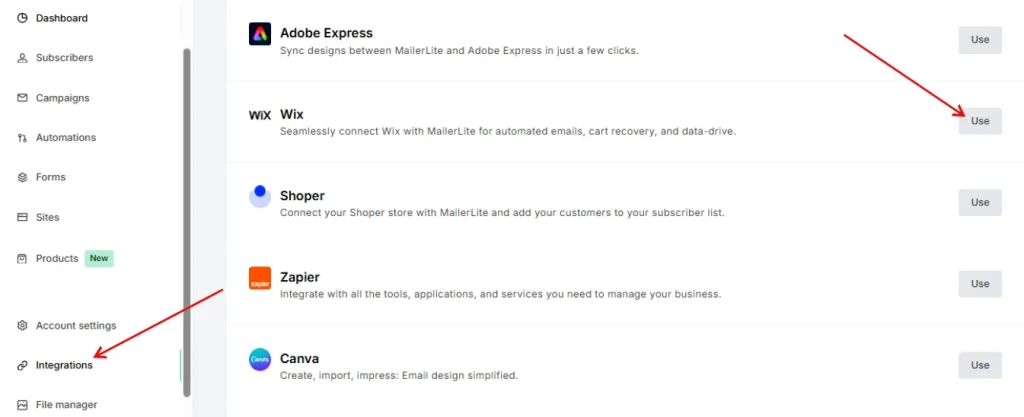
- Log in to your Wix admin panel and go to “Apps” located in the sidebar.
- Now choose “App Market”.
- Search with the text “MailerLite”, also check the developer name “MailerLite” to avoid wrong installation.
- Click on the “Add to Site” button.
- Now connect MailerLite with your Wix site.
- Accept the terms and conditions.
- Authorize the access, and you are all set to go.
How to Integrate with Shopify?
Now you can learn about how to connect your MailerLite dashboard with Shopify and get access to multiple features.
- Go to your Shopify Apps page and look for MailerLite Email Automation by MailerLite.
- Install this on your Shopify store.
- Now connect your MailerLite account with the authorization access.
Benefits of Integrations With MailerLite
1. Smooth Workflows
Integrations with MailerLite make your daily tasks easy. You connect your favorite tools in minutes. Your data moves from one platform to another without effort. This saves time and reduces mistakes.
I use it often, and trust me, it feels good when things “just work” without crying over spreadsheets.
2. Better Audience Growth
You can collect leads from many places. Forms, landing pages, e-commerce tools, and even social apps work together. More tools mean more ways to reach the right people. Your list grows faster, and your marketing gets stronger.
I once connected three apps at the same time. It felt like I unlocked a superpower. No cape needed.
3. Strong Automation Power
MailerLite integrations help you build smart automation. Your emails go out at the right time. Your subscribers follow the perfect journey. You can welcome new customers, send reminders, or share updates. You set the rules once and enjoy the results every day.
Some days, I wonder if my automations work harder than I do. And honestly, they might.
4. Less Manual Work, More Focus
You avoid manual work when your tools talk to each other. No more copying data. No more jumping between dashboards.
You stay focused on your goals, like writing better campaigns or improving your website. You spend less time fixing things and more time growing your business.