MailerLite A/B Testing Guide

This article has been written and researched by Umair Sajjad through a precise methodology. Learn about Methodology.

A/B testing is what I like when launching a new product or service for my clients and myself as well. And let me tell you one thing, email split testing always gives me higher conversions. This is one of the things that you should try at least once for your campaigns. And with the MailerLite marketing tool, it becomes easy and effective.
Today, let’s learn about how to use the MailerLite A/B testing tool. I will take you through a simple yet effective and easy-to-understand step-by-step guide.
So, my friends, let’s find out what the best ways are to boost your revenue in 2026. Here we go!
What is an A/B Testing Tool?
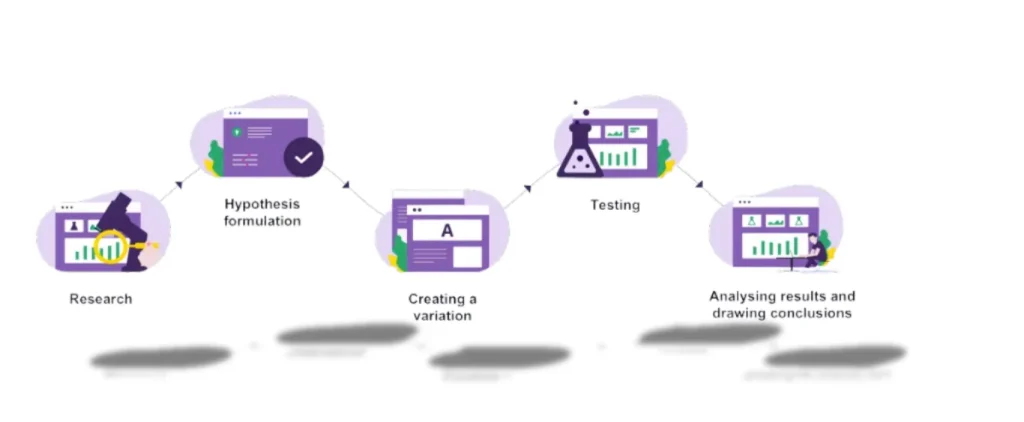
Email A/B testing is a technique where you send two different versions of the same email to different groups of your audience to check which one gets the most leads. This method is very helpful, especially when you are launching a new product for your clients.
What is Multivariate Testing?
Multivariate testing is similar to A/B testing, but the only difference is that you change multiple variables to check the output.
For instance, you try to find out different combinations of CTAs, images, subject lines or body content at once to see the conversion rate difference.
With this, you will be able to figure out which sets of changes are working better than the others. It is a bit complicated, but it provides better results for sure.
What to Check Before Testing with the A/B Method?
You need to check out some things in advance before you finally go for the A/B testing. Here are the things that you need to find out.
- Determine Your Goals: Keep your goals in your mind. Focus on what you need to achieve from this split email testing campaign.
- Check Previous Data History: Here, you need to check your previous emails with their conversion rate data. This will help you to decide what to consider and what to avoid.
- Keep it simple: You should start with some simple variables. In the start, send and test different subject lines, and then once you get the results then try some complex variations.
- Keep Required Recipients: You need to keep the number of recipients enough to test the results.
- Divide the Audience Equally: Keep the groups of audience similar in number. However, those who have a bigger list (more than 1000) should follow the Pareto principle. In this principle, you need to divide audiences into 10, 10, and 80 sections. Now send Version A to 10% and Version B to 10% and the rest 80% to the targeted audience.
How to Start an A/B Testing Campaign with MailerLite?
Now let’s start the A/B testing campaign in the MailerLite account.
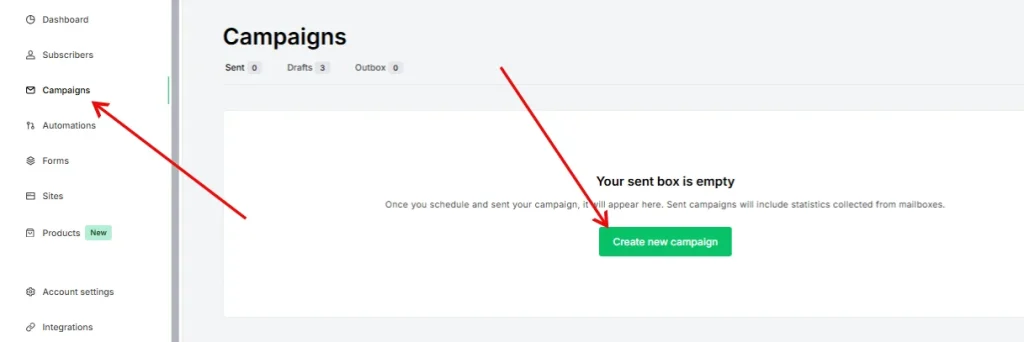
- Log in to your MailerLite account and go to “Campaigns” and then click on the “Create Campaign” button.
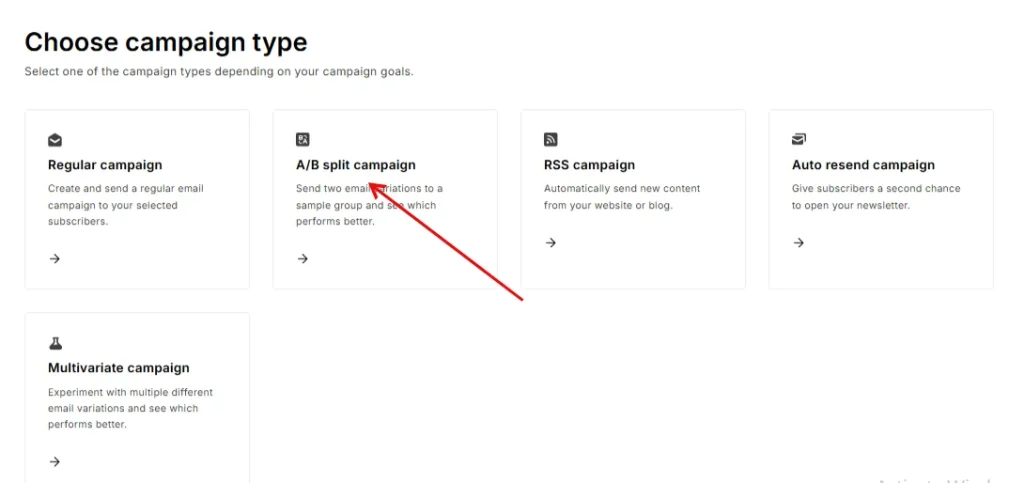
- Now look for the “Type” option and then choose “A/B Split Campaign” under this menu.
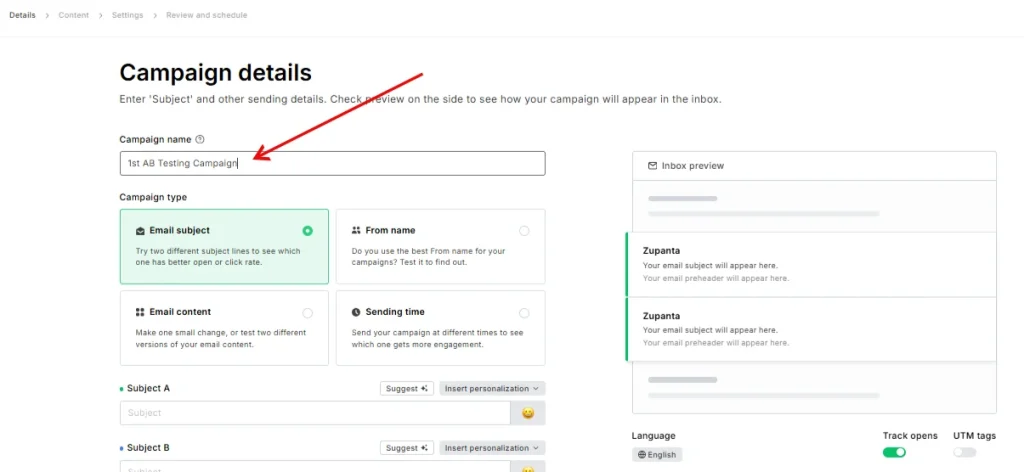
- Choose a name for your campaign under the Campaign details section. Also, choose the type of test you need to do, like Form name, Email Subject, or Email content.
- Also, choose who will be the recipient of the campaign. You need to choose at least 4 subscribers for this test.
- Choose the language of your campaign, like English or French, and then choose the tracking options.
- You will first create version A of your campaign. Then you will create version B.
- Choose the size of your test group or test your full list.
- If you do not check the option to run the A/B test on the full list, use the slider to choose how much of your list gets versions A and B. The rest of the list will get the winning version.
- If you check the option to run the A/B test on the full list, both versions will go to all recipients in two equal groups, and there will be no winner chosen during the campaign.
- After you set your test group, you can choose how to pick the winner. You can choose the version with the highest clicks or opens. You can also choose how long the test will run.
F.A.Q
How does MailerLite decide the winning version in an A/B test?
MailerLite checks the clicks or opens you select for the test. It picks the version that gets the best results in the set time.
Can I test more than one element at a time in MailerLite?
No, MailerLite supports simple A/B tests. You can test only one element at a time, like subject lines or content blocks.
What is the minimum number of subscribers needed for an A/B test?
You need at least four subscribers to run an A/B test. But bigger lists give more accurate results.
Does MailerLite send the winning version automatically?
Yes, if you test only a part of your list. MailerLite sends the winning version to the remaining group after the test ends.
Can I see detailed statistics for both versions after the test?
Yes, MailerLite shows full reports for versions A and B. You can compare opens, clicks, and engagement metrics easily.