How to Create a Flodesk Account?

I have been using Flodesk for 5 years, and it was one of my favorite email marketing tools. I have used dozens of email marketing tools, like Mailchimp or Drip, but this tool has something unique.
Start your email marketing career with Flodesk and create your account now. I have prepared this guide for all the people who want to use this tool for their business. The registration process will only take 5 to 6 minutes maximum.
How to Create a Flodesk Account?
You will need to have the following things ready before you create an account:
- An email
- Credit card
- Brand logo
If you want to create a free account, then you do not need to add your credit card details.
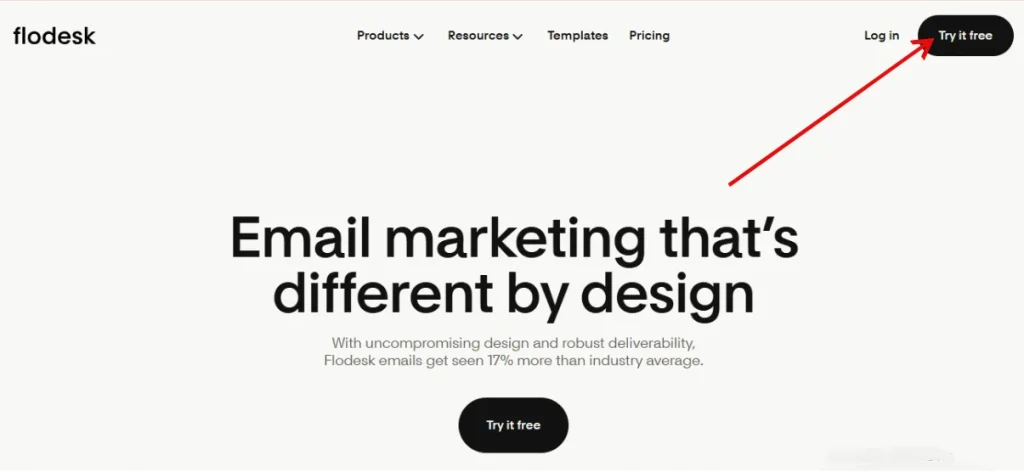
1) Go to the Flodesk Official Signup Webpage:
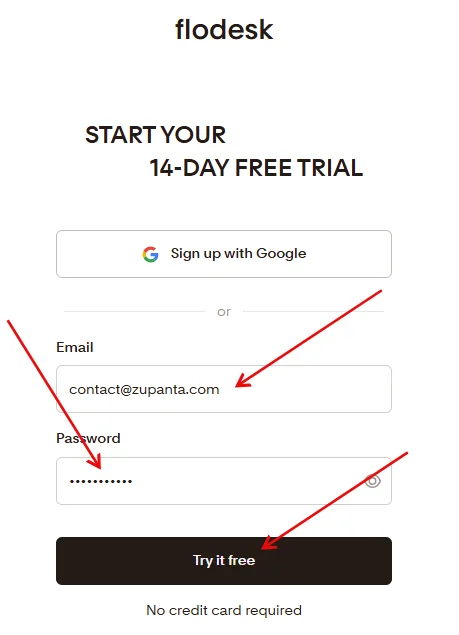
Visit the official webpage for the sign-up that is “https://app.flodesk.com/sign-up”. On this page, you will see the option “Start your 14-day free trial”. You don’t need to provide your credit card details for a free trial.
2) Fill Out the Registration Page:
You will be asked to join via Google Gmail or use your own email. You can choose the method that suits you.
Then you need to enter a strong password for your account. Choose a password that should have one upper case letter, one digit, and one special character.
3) Verify your Email:
Now submit the form, and you will receive an email to verify it. Open your inbox and verify that email.
4) Start Using Your Tool:
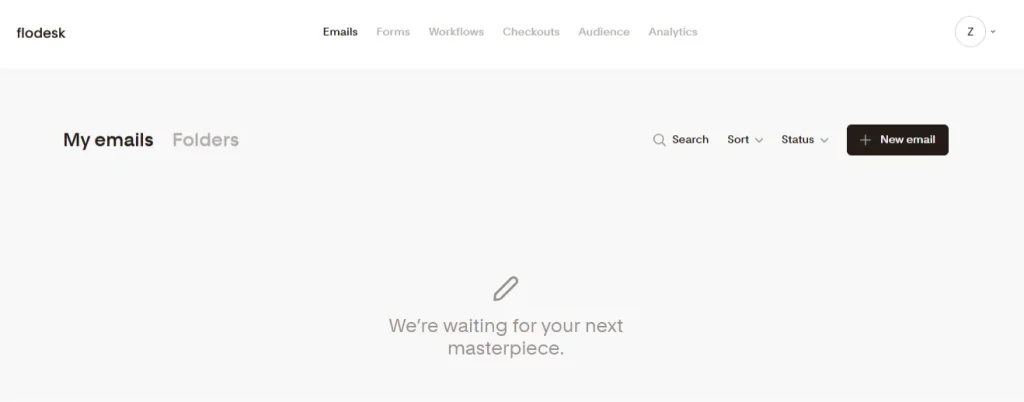
Now you will be at the Flodesk dashboard. Here you can use all the features that Flodesk comes with during the free trial.
Why Switch to Flodesk?
Simple User Interface
Flodesk provides a clean and structured dashboard. Users can navigate email campaigns, automation, and subscriber management without confusion.
Each feature is accessible through clear menus. The interface reduces time spent on technical operations. Users can focus on campaign creation instead of tool configuration.
Drag-and-Drop Email Builder
Flodesk includes a drag-and-drop editor for email design. Users can place text blocks, images, and buttons without coding skills.
The editor maintains responsive layouts automatically. Emails appear correctly on mobile and desktop devices. This feature reduces errors in formatting and ensures consistent presentation.
Automation Capabilities
Flodesk offers email automation workflows. Users can set triggers based on subscriber actions. The system sends emails automatically according to predefined sequences.
Automation improves engagement by delivering messages at the correct time. Users can track the performance of each workflow in real time.
Subscriber Management
Flodesk enables precise subscriber segmentation. Users can group subscribers based on behavior, interests, or source. Segmentation allows targeted campaigns.
Targeted campaigns increase open rates and click-through rates. The platform updates subscriber data automatically after each interaction.
Analytics and Reporting
Flodesk provides detailed campaign analytics. Users can access open rates, click rates, and delivery statistics. Reports help identify successful strategies.
Users can refine campaigns based on data-driven insights. Analytics support the continuous improvement of email marketing efforts.
Integration Options
Flodesk integrates with multiple third-party tools. Users can connect with e-commerce platforms, CRMs, and lead capture forms.
Integration reduces manual data transfer and synchronization errors. Users maintain a centralized workflow across marketing systems.
Compliance and Deliverability
Flodesk ensures compliance with email regulations. Users can manage consent and unsubscribe requests efficiently.
The platform maintains high deliverability rates. Emails reach subscribers’ inboxes reliably. Users can focus on content creation without technical concerns.