GoHighLevel Sign Up

Try GoHighLevel today and find out what this email marketing platform is offering in 2026. The registration process is very easy and simple. I will share the complete GoHighLevel sign-up guide for you.
Let’s find out how you can start your 14-day free trial and get started with this email marketing tool. Get ready with your email and passwords to learn about the complete registration process in this guide.
GoHighLevel Sign Up (Start Your 14 Day Free Trial Today!)
So you are looking for a method to apply for the GoHighLevel 14-day free trial? Let’s find out the process.
1) Visit the Official Website (www.gohighlevel.com)
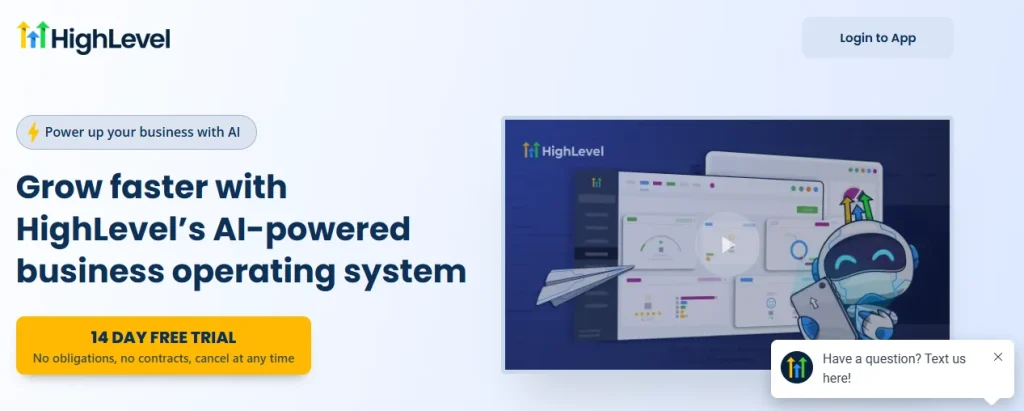
First, you are required to visit the official website (https://www.gohighlevel.com/) from your mobile or laptop.
2) Click on “Start Your 14 Day Free Trial Today!” Option
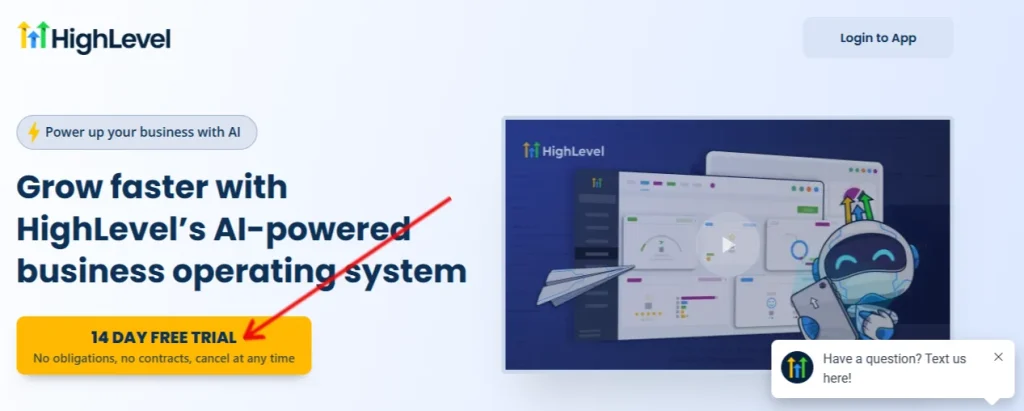
On the official page, you need to click on the button “14 DAY FREE TRIAL (No obligations, no contracts, cancel at any time)”.
This will open a sign-up form that you need to fill out. The registration needs the following information:
Step 1
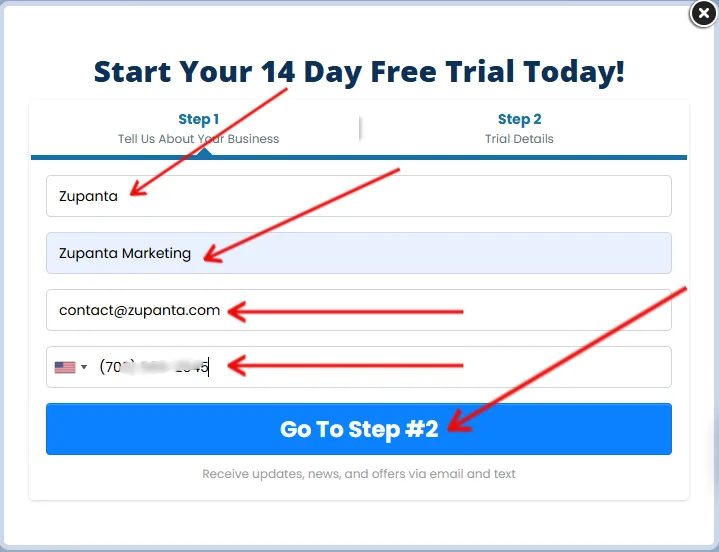
- Company name
- Full name
- Email address
- Phone number
Now, click on the “Go to Step #2” button to complete the registration.
Step 2

On step 2, you need to choose a GoHighLevel plan from (Starter, Unlimited, SaaS Pro). After that, below will be the space to enter your credit card details for the free trial.
Finally, accept all the terms and conditions and click on the start your free trial button. This will complete your GoHighLevel free trail sign up process.
Login To Your Account
After a successful sign-up, users can log in to their accounts. I have also written about the GoHighLevel login guide so that you can read that as well.
- On the official page, click on the “Login to App” and this will take you to the login page.
- Enter your username and password that you have chosen during the registration process.
- Click on the “Sign In” button, and you will be inside your GoHighLevel account.
GoHighLevel Free Trial Requirements and Eligibility
GoHighLevel free trial access requires valid business and contact information. It requires a working email address, a reachable phone number, and a valid payment method for verification.
The free trial period lasts fourteen days and provides access to the selected plan environment. GoHighLevel applies the same eligibility rules to all users, regardless of location.
The platform allows cancellation during the trial period to prevent charges. Business owners, agencies, and marketing professionals commonly meet these eligibility conditions.
GoHighLevel Subscription Plans Overview
GoHighLevel provides three subscription plans named Starter, Unlimited, and SaaS Pro. Each GoHighLevel plan differs in account limits, automation access, and client management capacity. The Starter plan supports basic account usage for small teams.
The Unlimited plan allows multiple sub-accounts under one dashboard. The SaaS Pro plan supports white-label access and software resale options. Users select a plan during registration, and the selected plan applies immediately after the trial activation.
GoHighLevel Account Verification and Setup Process
GoHighLevel account verification starts after a successful registration submission. It sends confirmation emails to validate the provided email address.
The platform activates the account once verification is complete. Users then access the dashboard to configure business details, user roles, and basic system settings.
Initial setup includes adding a business profile, setting time zones, and enabling communication channels. Proper setup ensures stable account operation and uninterrupted access during the free trial period.