What is Brevo Transactional Email & How to Send It?

Heard about transactional email? Not sure what it is and how to use it? Don’t worry. On this page, you will learn the complete process of how to send transactional emails with Brevo. Also, I have explained the definition of what a transactional email is and how it is different from a marketing email.
What is a Transactional Email?
A transactional email is a confirmation or reply email from the vendor or website owner when you complete a task online, such as purchasing a product, completing your signup, etc.
Transactional emails are always set to automatic according to the users’ task completion. Suppose you have bought a gaming chair from an online store and you have received a confirmation in the form of a receipt.
This is a transactional email that you have received from the vendor. Similarly, if you have forgotten your password for an account on a website and you click on the “Reset Password” button, the email you will receive is also transactional.
Why Should You Use Transactional Emails?
Transactional emails help users feel safe and informed. They give fast updates and build a strong connection with your audience. Also, these messages work like a polite tap on the shoulder that says, “Yes, we heard you. Everything is going fine.” Below are three clear reasons to use them.
1. They send fast updates that build trust
Users take action. The email arrives. Simple and smooth. This quick response builds trust because people see proof of what they just did. For example, they get a receipt after a purchase or a link after a password reset. It feels like a friendly confirmation note instead of silence.
2. They keep communication clean and clear
Users do not feel lost. They get helpful details like order status, login links, or delivery updates. These emails remove guesswork and reduce support requests. When users know what is happening, they stay calm and happy.
3. They increase user engagement
People open these emails more than marketing emails. They expect them, so they read them. This gives you a chance to guide users, share useful information, and keep them active on your site. Think of it as a soft, steady handshake that keeps the relationship strong.
How Transactional Emails Are Different from Marketing Emails?
Transactional emails and marketing emails look similar from the outside, but they serve different jobs. One supports users in real time, while the other promotes products and offers. Below is a simple and clear breakdown, with a light touch of friendly tone.
Purpose
Transactional emails share important information after a user takes an action. They confirm orders, send login links, and give account updates. Think of them as small messengers that say, “Your step worked.”
Marketing emails promote offers, updates, and new products. They aim to bring users back and inspire interest.
Timing
Transactional emails are sent right away after a user’s action. They follow a direct trigger and run on automation.
Marketing emails are sent in planned campaigns. They follow a schedule and support marketing goals.
Content Style
Transactional emails focus on clear details. They give receipts, delivery info, and password links.
Marketing emails focus on attraction. They highlight benefits, offers, and helpful tips.
User Intent
Users expect transactional emails and often wait for them. These emails help users complete steps with confidence.
Users see marketing emails as helpful suggestions. They can choose to explore or ignore based on interest.
Open Rates
Transactional emails get high open rates because users need the information inside.
Marketing emails get lower open rates because users see them as promotional content.
How to Send a Transactional Email from Brevo?
Now you understand what a transactional email is and why it matters. You also know how it helps users feel safe and informed. Next, let’s move forward and learn how to send your first transactional email with Brevo.
There are three methods to send transactional emails:
- SMTP
- Email API
- Webhooks
1) Go to Automation Tool
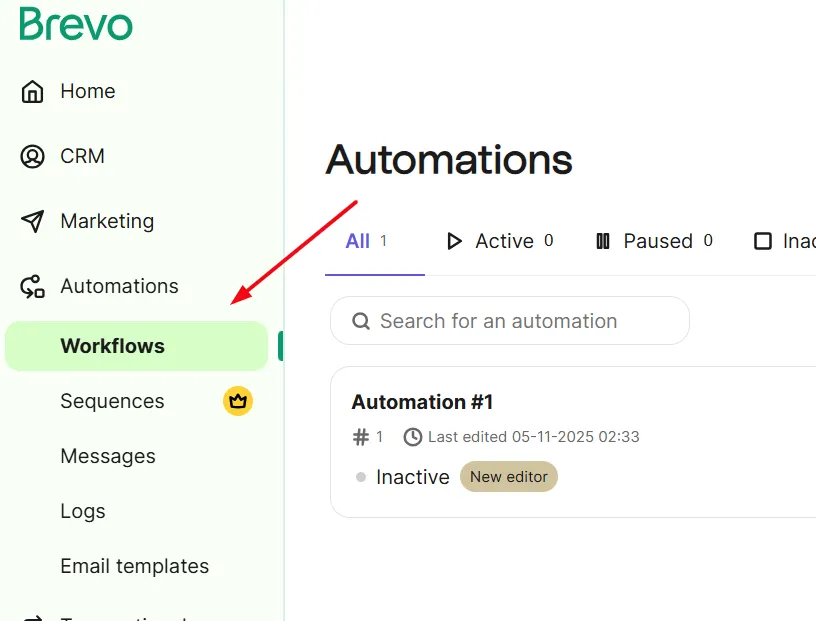
You need to use the Brevo Automation tool to set up workflows. These workflows trigger emails based on user actions.
For example, when a user buys a product or resets a password, the workflow sends the right email at the right time. This keeps the process automatic and fast, so users always get the confirmation or link they expect.
2) Customize Your Transactional Email
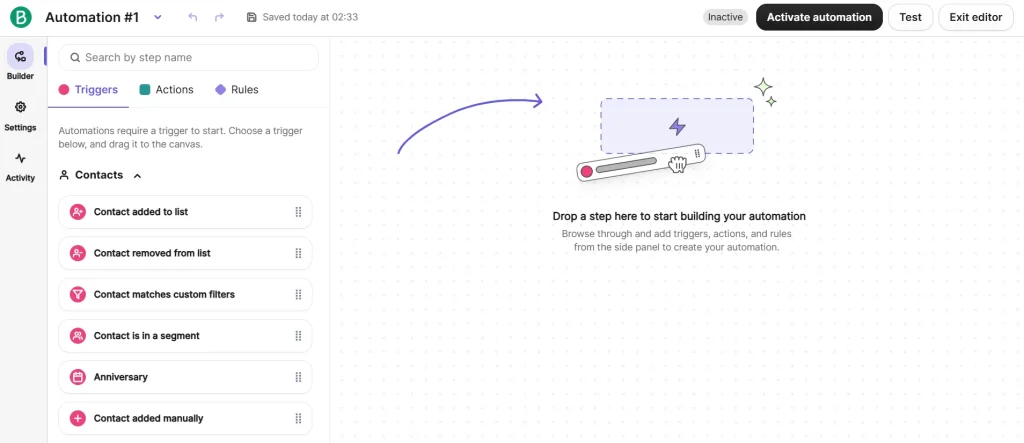
Now you need to style and design your email template. You can use Brevo’s email templates gallery to customize the email with your desired designs.
3) Monitor Your Results
Finally, you can check and track your progress for all the transactional emails via Brevo’s real-time analytics.